Karen Roberts
Making ad hoc reporting feel simple, without limiting its power
Users needed to build highly specific, multi-layered reports without getting lost in system complexity. This redesign simplifies how fields are chosen are constructed while preserving the power needed for advanced reporting.

Project overview
Ad hoc reporting within a cloud-based 911 analytics and reporting platform, allows users to build custom reports on demand across PSAP data. However, the existing field builder made this process difficult to navigate, limiting users’ ability to efficiently create and interpret complex reports. I focused on improving the existing experience within beta constraints, balancing usability improvements with minimal development overhead.
The problem
Users needed to build highly specific, multi-layered reports across PSAP data, but the existing report field configuration was slow, unclear, and difficult to use.
Key issues included:
Difficulty finding and understanding the right fields
Users often weren’t sure which of the over 120 fields to select or what they meant, leading to guesswork and repeated attempts.

Lack of clarity when setting up reports
Users were unsure what inputs were required and how different settings impacted results, causing confusion and trial-and-error behavior.

Split experience between Standard and Advanced reporting
Ad hoc reporting existed across two separate pages, making it unclear where to start or which option to use.
Difficulties working with larger reports
Large reports became harder to manage, with issues around performance and exports of results.

As a result, users often avoided advanced filtering or relied on trial-and-error, limiting the effectiveness of
ad hoc reporting.
How might we enable users to build flexible, modern, multi-layered reports across complex PSAP data without making the experience difficult to understand or control?

Understanding our users
I conducted usability testing with 17 external users alongside internal stakeholders to understand how reports were built in practice and where users struggled.
From this research:
-
We analyzed how users construct and interpret fields
-
Identified breakdowns in logic understanding and workflow efficiency
-
Explored multiple interaction models for rebuilding the experience
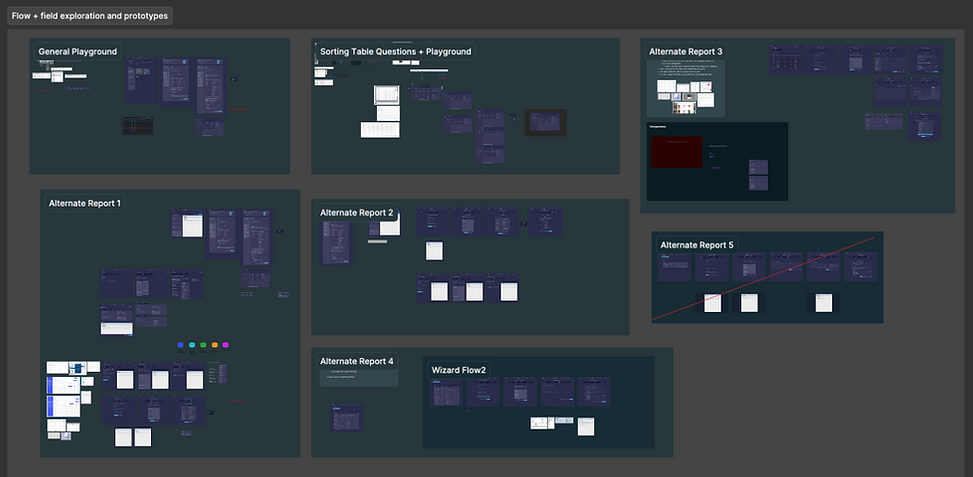
I designed six interaction flows, then narrowed to two strongest directions based on usability and clarity.
To validate direction:
-
Users completed A/B testing across both flows
-
We measured task success, ease of use, and preference
Option A:
Wizard report builder with fields categorized

Option B:
Linear report builder with fields categorized

Users found the linear flow easier to use, with the new design perceived as cleaner, more modern, and easier to navigate.
Following validation, the UI was iterated on multiple times to refine interactions and address edge cases as they emerged.
To improve organization and discoverability, we also conducted a card sorting exercise to categorize over 120 filters.
Trade-offs
Given beta release timelines, we focused on improving the existing system instead of rebuilding it, prioritizing high-impact usability improvements with low implementation overhead. The primary focus was making field selection and configuration more intuitive and easier to understand.
One of the features users found most valuable was the Preview function.
Report generation often involved a lot of trial and error, especially when users were working with large amounts of data or complex filters. The preview feature helped remove that guesswork by allowing users to see a sample of the first five returned rows before running the full report. This gave users more confidence in their filter selections, reduced frustration, and saved time during the report-building process. To make the experience even more useful, previews were available both while configuring filters and again at the final stage of report creation, helping users validate their results throughout the workflow.
Because this functionality required more development effort than initially anticipated, the full implementation was postponed until additional resources became available after the beta release.

The Solution
The redesigned Ad Hoc experience within the 911 reporting software makes it easier for users to build,understand, and refine complex field configurations, while staying within beta release constraints and minimizing development effort.
Making fields easier to find and understand
Fields were reorganized and clearly defined, making it easier for users to find and understand what they need. Enhanced labeling, structure, and global search reduced guesswork, while the ability to favorite fields allowed users to quickly access and reuse their most frequently used filters, improving speed and confidence when building reports.
Simplifying how fields are configured
The configuration experience was streamlined and labeled in plain language, making it clearer what each input field represents. Dropdown options were rewritten to replace ambiguous symbols with clear, descriptive wording.
Configured fields were also redesigned from a table into cards, making it easier to see what has been set for each field. These cards can be quickly reordered through drag-and-drop, giving users more control over how their report is structured.
Bringing Standard and Advanced into one experience
Ad hoc reporting was consolidated into a single, unified interface, removing the need to switch between separate pages and making it easier to understand where and how to start.

What our users had to say
I love the new design far better. it looks like it was taking more into account of what's the user's experience.
Jessica, Dallas City Hall
Your team is making powerful, more powerful
Nicole, CAL OES
Nicole - CAL OES
The current ad hoc reporting is so difficult that none of the PSAPs use it. The new designs would likely encourage more use of ad hoc reporting due to the ease of use.
Scott, State of Kansas 911 Council
Reflection
This project reinforced that improving complex reporting systems is sometimes less about adding new functionality and more about making existing capabilities easier to understand and use. Within beta constraints, the focus was on simplifying field selection, clarifying configuration, and improving the overall structure of the Ad Hoc experience to make report building more intuitive. Ad hoc is currently in development and is scheduled to be released to the beta environment later this year.
Looking ahead, today users need to understand the underlying data structure to build reports. I see an opportunity to shift the experience from report construction to goal-based exploration, where users describe what they're trying to understand and the AI proposes filters, metrics, and report configurations. The user remains in control through review and approval, but the cognitive burden of building complex queries is significantly reduced.

